AntiVirus Sweep & Security
- 3.5
- Rating
- 5.00M
- Installs
- Free
- Price

 Analysis by App-foxy
AntiVirus Sweep & Security caught my attention because it combines three jobs that many Android users usually handle separately: checking for threats, clearing unwanted files, and finding unusually large items. That sounds useful on a phone that is constantly collecting downloads, images, cached content, and forgotten installers. After spending time with it, I see the appeal clearly: it is designed as a simple maintenance tool rather than a complicated security suite. The more important question, though, is whether it remains useful after the first cleanup. My answer is cautiously positive, with a few important limits.
This is a free tools app from Jammer Education, aimed at an Everyone audience. It has passed the one-million-install mark and holds an average rating of 3.6 from roughly two thousand ratings, so it has attracted a sizable audience while receiving a mixed reception. It was released on September 27, 2025, and the current version is 2.1.0.0 for devices running Android 8.0 or later. Those details place it within reach of many older phones, not just recent models.
What the first week feels like
The first-week appeal is easy to understand. A phone can feel slow or cluttered even when the real problem is not a virus at all. A crowded download folder, oversized videos, repeated images, and temporary files can make storage management feel like a chore. Having one place to begin that inspection is convenient, especially for someone who does not want to browse several system menus.
You May Also Like

 Blood Strike: 2.5 Anniversary
Blood Strike’s Loadouts Turn Every Drop Into a Tactical Gamble
A close look at Blood Strike’s custom loadouts: how fast access to signature weapons reshapes its battle royale rhythm, rewards preparation, and narrows the gap between fights.

 Pandora - Music & Podcasts
Pandora’s Music Is Easy to Start, but Harder to Recover
Pandora’s strength is its low-effort path from a seed to a station. Its weak spot is how much confidence it asks you to place in connection, setup, and quiet recovery.

 8 Ball Pool
 Is Built on Rivalries, Rematches, and Routine
A close look at the rivalries, rematches, shared routines, and unanswered safety questions that turn a quick pool match into a persistent mobile community.

 Samsung Music
’s Quiet Strength Is Playing What You Already Own
Its reach comes less from spectacle than from dependable access to a personal library. That simplicity is both the app’s strongest retention engine and its ceiling.

 AccuWeather: Weather Radar
AccuWeather Review: A Quick, Clear Forecast for Everyday Decisions
For everyday plans, the best forecast is the one you can understand quickly. AccuWeather makes rain timing, radar, and local conditions easy to act on, with a few trade-offs.

 Hill Climb Racing
Why Hill Climb Racing Still Turns Crashes Into One More Run
A tiny car, a bumpy hill and one more upgrade: Hill Climb Racing keeps resurfacing because its simple chaos makes every near-miss feel personal.
More From Our News Desk



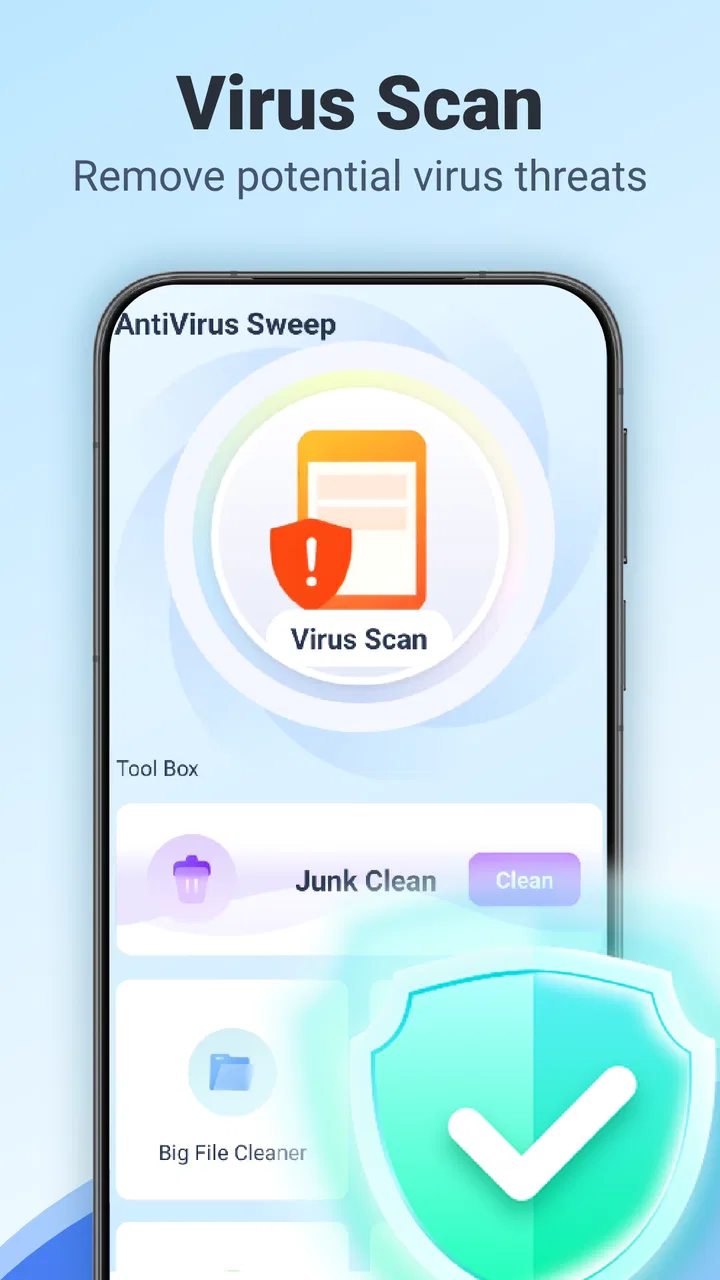
The app’s three-part focus gives the opening experience a practical shape. A virus scan addresses the security concern, junk cleaning targets disposable material, and large-file cleaning helps identify the items most likely to consume meaningful storage. I like that these tasks answer different questions. “Is something suspicious present?” is not the same as “What is using my storage?” Treating them as separate maintenance goals makes the app easier to understand than a vague promise that it will make a phone better.
For a new user, the most useful habit is to inspect before removing. I would not rush through every cleanup prompt simply because the app presents a long list. Large files are not automatically unnecessary, and a downloaded film, offline map, work recording, or family video may be valuable despite its size. The large-file area is best used as a review tool: sort out what you recognize, keep what matters, and remove only what you can replace or no longer need.
The same caution applies to junk cleaning. Temporary material can usually be less important than personal files, but “clean” should not become a synonym for “delete everything shown.” I prefer to treat the first scan as an inventory. It teaches me where my phone’s clutter comes from, which is more valuable than a single dramatic cleanup. If most of the suggested space comes from items I still use, the app has not failed; it has simply shown that storage pressure is not the same as useless data.
The security scan also needs realistic expectations. A scan is helpful as a second opinion and as a quick check when something on the phone feels unusual. It should not make me careless about installing unknown applications, opening suspicious messages, or ignoring Android’s own security protections. No cleaning tool can turn risky habits into safe ones. I see AntiVirus Sweep & Security as a convenient inspection layer, not a replacement for sensible behavior.
A useful routine for a crowded phone
A realistic first-week scenario would be a phone used for messaging, short videos, photos, and occasional document downloads. After several months, the owner notices that free storage is shrinking but does not know why. I would begin with the large-file check, because it can reveal the biggest opportunities quickly. Then I would review junk suggestions without deleting personal media, and finish with a security scan if there is a genuine reason for concern. That order avoids confusing a storage problem with a malware problem.
There is also a less obvious benefit to this sequence: it separates decisions that are often mixed together. If the phone becomes more comfortable to use after removing a few oversized recordings, that does not prove a virus was present. If the scan reports nothing concerning, that does not mean clearing files was pointless. Keeping those outcomes separate helps users understand what the app is actually doing instead of attributing every improvement to one button.
During the first week, I would also note whether the app’s recommendations are understandable. A maintenance tool earns trust when I can tell why an item is being suggested and what will happen after removal. If I have to guess whether a file is personal, temporary, or application-related, I slow down. That extra checking is not a flaw in the phone owner; it is part of the responsibility any cleanup tool creates.
Where the value holds up from month to month
After the novelty fades, the app’s lasting value depends on whether it solves a recurring problem. Storage clutter is recurring. New downloads arrive, messaging apps accumulate media, and large recordings can quietly take over space. For that reason, the large-file and junk-cleaning functions have a more dependable long-term role than a scan opened only when the user feels nervous.
I would use it as a periodic inspection rather than a daily ritual. A monthly check makes more sense than repeatedly cleaning a phone that has not changed much. The exact timing should follow the way the device is used: someone who records lots of video may need more frequent reviews, while a light user may gain little from opening the app often. The useful habit is not “run the cleaner constantly”; it is “look at storage before the phone becomes difficult to manage.”
The large-file view is particularly practical for people who forget what they download. It can help surface old installers, duplicate exports, long clips, and forgotten offline content. The trade-off is that the user must supply the judgment. The app can point toward storage-heavy material, but size alone cannot tell me whether a file is replaceable, backed up, or emotionally important. That makes this feature valuable for discovery, not automatic deletion.
Junk cleaning has a similar month-to-month pattern. It may be worthwhile when an application has generated a lot of temporary material, but cleaning is not a permanent fix for an app that constantly recreates its cache. If a particular application grows quickly again, I would investigate that application’s own storage settings rather than repeatedly treating the symptom. This is one of the most important trade-offs: a cleaner can make maintenance easier, but it cannot change how other apps behave.
The virus-scan function is more situational. I find it useful after installing something unfamiliar, when an unexpected advertisement appears outside its normal context, or when the phone behaves in a way that deserves checking. I would not run it obsessively just to create a sense of safety. Repeated scans with no change in behavior add little value, and they can encourage the mistaken belief that security is something handled only after a problem appears.
Compared with Android’s built-in storage tools, this app’s advantage is concentration. A dedicated interface can feel more approachable for someone who dislikes digging through settings. The built-in tools, however, may be the better choice for users who want the closest view of the operating system’s own storage categories and controls. I would choose AntiVirus Sweep & Security when I want a guided starting point, not because it makes the underlying decisions unnecessary.
Compared with a full security product, this app appears more focused on everyday cleanup and inspection than on becoming an all-purpose security center. That narrower approach can be refreshing, especially for people who do not want a crowded dashboard. On the other hand, users looking for broader security management should compare it with established security suites and examine what each one actually covers before deciding. The presence of a scan does not automatically make two security products equivalent.
Who gets genuine recurring value
I think the best match is someone with a clutter-prone Android phone who wants a simple place to review storage and perform an occasional security check. It can also suit family members who are uncomfortable with technical menus, provided they understand that cleanup suggestions still require attention. The app’s Everyone rating makes it broadly approachable, but ease of access should not be confused with permission to delete without reading.
It is less compelling for users who already maintain their phones carefully through Android’s native tools and a disciplined file system. Those people may find another app unnecessary. It is also not the right answer for someone expecting a guaranteed speed boost, automatic protection from every threat, or a completely hands-off cleanup process. If the phone’s problem is a failing battery, weak hardware, poor network coverage, or an unstable application, removing files may not address the real cause.
One useful long-term workflow is to combine the app with a personal storage rule. I might review large items first, move important media to a trusted backup location, and only then remove local copies that I no longer need. I would separately review junk suggestions and use the security scan when the situation justifies it. This prevents the common mistake of using one broad cleanup action as a substitute for backup, organization, and security awareness.
Maintenance burden and the points that may become tiring
The maintenance burden is not high in the sense of complicated setup, but it is higher than the store summary might suggest because every cleanup decision carries a risk of regret. The app can identify candidates; I still have to recognize them. That is a healthy limitation, but it means the experience is not truly one-tap maintenance for anyone who stores important photos, work files, recordings, or downloaded documents on the phone.
Repeated prompts can also become tiring if the app is opened too frequently. A phone that has not accumulated much new material will not offer a meaningful cleanup every time. I prefer tools that become part of a calm routine rather than tools that make me feel I am neglecting the device whenever I do not run them. If the app’s reminders or suggestions feel urgent when the phone is functioning normally, that could reduce trust over time.
Another source of fatigue is the difference between visible storage and meaningful storage. A large file is easy to understand, while temporary data may be less obvious. Users may spend more time checking what can safely be removed than they expected. That is not necessarily a reason to avoid the app, but it changes the value proposition: the main benefit is guided visibility, not magic automation.
There is also a practical question of duplication. Android already offers ways to manage applications, storage, and security, and many phone manufacturers add their own maintenance panels. If those tools already show clear recommendations, AntiVirus Sweep & Security may overlap with them. In that situation, I would keep only the tool whose explanations and workflow I find easiest to trust. More maintenance interfaces do not automatically produce a cleaner phone.
I would be especially careful with any suggestion involving personal media or downloads. Before confirming removal, I would check the file name, location, and whether a backup exists. For family photos and work documents, I would treat the app as a reminder to organize rather than as the final authority. This is a concrete trade-off that generic cleaner reviews often skip: convenience is useful only when the cost of a mistaken deletion is acceptable.
The app’s mixed average rating is worth keeping in mind when setting expectations. With around two thousand ratings, the figure suggests that experiences are not uniformly positive. I would not interpret that as proof that the app is poor, but I would take it as a reason to evaluate the interface on my own phone rather than assuming every device will benefit equally. Storage layouts, manufacturer software, and user habits can change how useful a maintenance tool feels.
When I would skip it
I would skip this app if my main goal were advanced security administration, detailed privacy auditing, or professional file management. I would also skip it if I already use Android’s storage controls comfortably and rarely download large files. In those cases, another installation may add more screen clutter than practical value.
I would also avoid relying on it as the sole response to suspicious behavior. If I believed an account had been compromised, an application was acting maliciously, or sensitive information was at risk, I would take broader steps: review installed applications, update the operating system, secure accounts, and seek appropriate technical help. A scan inside a maintenance app is only one part of that response.
For older devices that meet the Android 8.0 requirement, the app may be appealing because it is available beyond the newest hardware generation. Still, availability does not guarantee that every older phone will feel faster after cleanup. If the device is limited by aging components or an overloaded application, the right fix may be replacement, repair, or changing that application’s settings rather than installing another utility.
Does it earn a permanent place?
My long-term verdict is that AntiVirus Sweep & Security can earn a place on the phone, but only as an occasional maintenance companion. Its strongest lasting contribution is helping me find storage-heavy material and approach cleanup in a more organized way. The security scan adds reassurance in specific situations, while junk cleaning can be useful when temporary buildup becomes noticeable.
I would not keep it because I believed the phone needed constant sweeping. I would keep it if its guided view made storage decisions easier than the built-in alternatives. That distinction matters. A good maintenance app should reduce confusion, not create a new obligation to press a button every day.
The free price lowers the barrier to trying it, and the broad age rating makes it accessible to a wide range of users. Jammer Education has positioned it as a straightforward tools app rather than an intimidating technical product. Even so, the user remains responsible for checking what is being removed and for maintaining sensible security habits outside the app.
For a friend with a crowded Android phone, I would recommend trying it with a cautious workflow: inspect large files, protect anything important, review junk suggestions carefully, and use the virus scan when there is a real reason. I would then judge it after several weeks, not after the first impressive cleanup. The lasting test is whether it saves time without making maintenance feel like another daily chore.
That makes this a useful but situational recommendation. It is more approachable than manually hunting through every storage category, yet less comprehensive than a dedicated security suite and less authoritative than the phone’s own system controls. If you want a focused way to review clutter and perform occasional checks, it is worth considering. If you want automatic certainty, advanced protection, or a guaranteed performance upgrade, I would choose a different solution.
In my experience, the app’s best role is modest and practical: it gives a messy phone a clearer starting point. Once that starting point has done its job, the value comes from returning only when there is something meaningful to review. That is why I see AntiVirus Sweep & Security as a reasonable free utility for periodic storage and safety checks, rather than a permanent cure for every phone problem.
FAQs for AntiVirus Sweep & Security
01What features does AntiVirus Sweep & Security offer?
AntiVirus Sweep & Security provides comprehensive protection for your device, including real-time virus scanning, malware detection, and removal. It also features a secure browsing mode, privacy guard, and anti-theft tools. Additionally, it offers regular updates to ensure your device is protected against the latest threats.
02Is AntiVirus Sweep & Security free to use?
AntiVirus Sweep & Security offers a free version with basic features, such as virus scanning and malware detection. However, to access advanced features like real-time protection, secure browsing, and privacy guard, you may need to upgrade to the premium version, which requires a subscription.
03How does AntiVirus Sweep & Security impact device performance?
AntiVirus Sweep & Security is designed to run efficiently in the background, minimizing battery and CPU usage. It performs scans quickly and quietly, ensuring your device operates smoothly. However, during full scans or updates, you may notice a slight increase in resource usage.
04Is AntiVirus Sweep & Security compatible with all devices?
AntiVirus Sweep & Security is compatible with most Android and iOS devices running current and recent versions of their respective operating systems. It’s always a good idea to check the app’s requirements on the download page to ensure compatibility with your specific device model.
05How often should I run scans with AntiVirus Sweep & Security?
While AntiVirus Sweep & Security provides real-time protection, it's recommended to perform a full scan at least once a week. Regular scanning helps detect any threats that may have bypassed initial detection. The app can be set to schedule automatic scans at your convenience.
Pros
- Comprehensive malware detection capabilities.
- User-friendly interface with easy navigation.
- Real-time protection without slowing device.
- Regular updates keep security features current.
- Customizable scan options for flexibility.
Cons
- Consumes significant battery during scans.
- Some features locked behind a paywall.
- Occasional false positives in scan results.
- Advertisements in free version can be intrusive.
- Initial setup requires multiple permissions.

AntiVirus Sweep & Security
Gallery